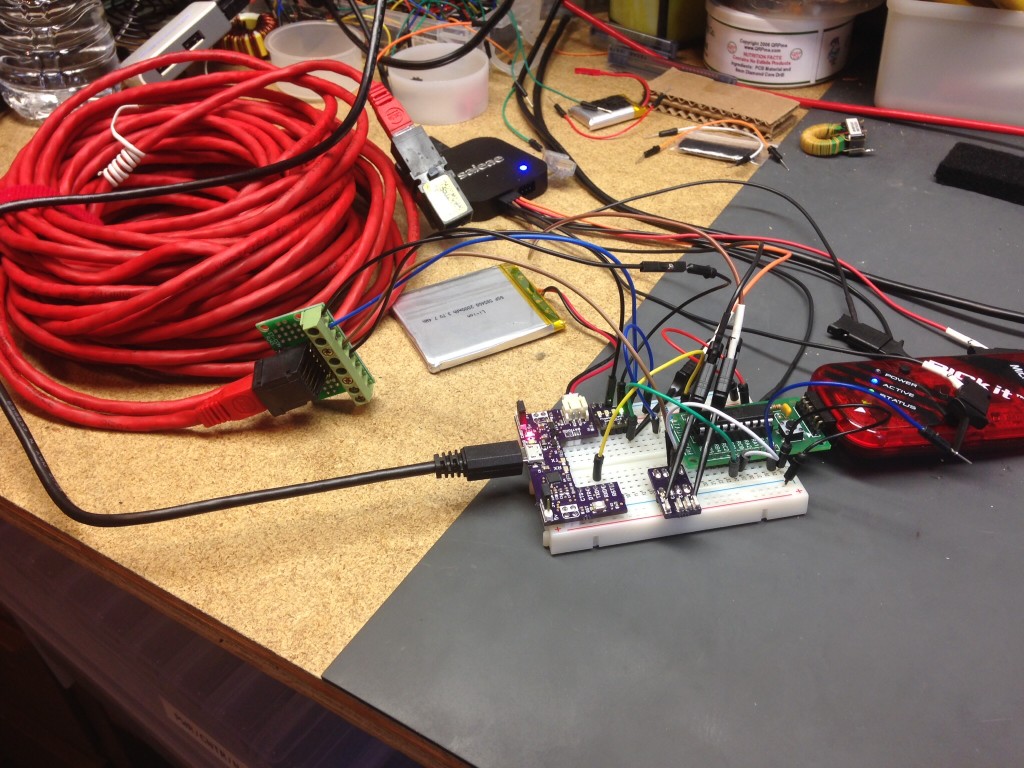
I purchased a 2-pack of rip off NES 8bit controllers on Amazon with an “extension” cord so that I had a ready made connector. Cut the extension cord off and wired it to an Arduino Mega (because that’s what was on the bench). I am using this for a game I am working on for the Makerspace… but through maybe you could use a snippet that worked. The first google code I tried to copy and paste didn’t work so hot.. so here is what I came up… I did find some inspiration here and there but this is a good launching point for your next project.
/*

NES Controller

*/

const int latch = 50;
const int clock = 48;
const int data  = 49;

#define latchlow digitalWrite(latch, LOW)
#define latchhigh digitalWrite(latch, HIGH)
#define clocklow digitalWrite(clock, LOW)
#define clockhigh digitalWrite(clock, HIGH)
#define dataread digitalRead(data)
#define wait delayMicroseconds(15)

unsigned long previousMillis = 0;
const int wait_interval = 20;

const int A_BUTTON         = 0;
const int B_BUTTON         = 1;
const int SELECT_BUTTON    = 2;
const int START_BUTTON     = 3;
const int UP_BUTTON        = 4;
const int DOWN_BUTTON      = 5;
const int LEFT_BUTTON      = 6;
const int RIGHT_BUTTON     = 7;

byte output;

void setup() {
	Serial.begin(115200);
	pinMode(latch, OUTPUT);
  pinMode(clock, OUTPUT);
  pinMode(data, INPUT);
  Serial.println("NES TEST");

}

boolean isBitSet (byte myVar, byte bitNumber) {
  bool bitvalue;
  bitvalue = myVar & (1 << bitNumber);
  return bitvalue;
}


void readNES() {
  latchlow;
  clocklow;
  latchhigh;
  wait;
  latchlow;

  for (int i = 0; i < 8; i++) {
     output += dataread * (1 << i);
     clockhigh;
     wait;
     clocklow;
     wait;
  }
}

void hexprint(byte b) {

  Serial.print("0x");
  if (b < 10) Serial.print("0");
  Serial.println(b, HEX);

}

void loop() {
  output = 0;
  readNES();
  if (!isBitSet(output, 0)) Serial.println("A Button");
  if (!isBitSet(output, 1)) Serial.println("B Button");
  if (!isBitSet(output, 2)) Serial.println("SELECT Button");
  if (!isBitSet(output, 3)) Serial.println("START Button");
  if (!isBitSet(output, 4)) Serial.println("UP Button");
  if (!isBitSet(output, 5)) Serial.println("DOWN Button");
  if (!isBitSet(output, 6)) Serial.println("LEFT Button");
  if (!isBitSet(output, 7)) Serial.println("RIGHT Button");
  //Serial.print("Read: "); hexprint(output);
}
I thought I’d drop this here for someone who needed a copy-paste solution.
I am parsing a serial string output from a YDLIDAR X4 rotating lidar. I have to do this because the library sucks. a lot. I mean I’m not over my heels with the unit anyhow, first off who the hell outputs at 128,000 baud? I’ll post the code when it’s done enough for someone to build off of it.
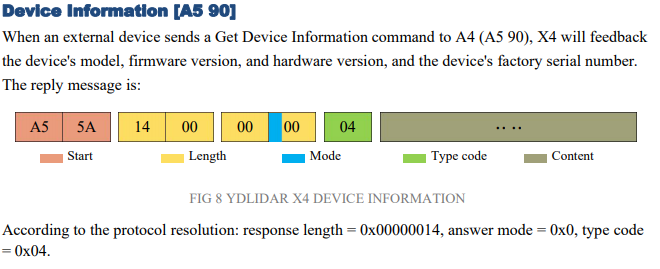
I was getting an error in number of bytes in the packet as parsed from the serial string so I had to break out the function into really busy but obvious code to see where I was going wrong. The code has me concatenating two bytes and an upper nibble. Ignore the discrepancy in how I added my bytes backwards in my code vs. how the device actually stacks it’s data… because you know: WHO IN THEIR RIGHT MIND SHIFTS LSB ON THE LEFT?! (note the “length bytes as shown in 12 bits and the “response length” example below.)
Anyhow… feel free to show me how to do it better in the comments. Obviously this is built for you to look at it do it’s magic in a serial monitor.
What a groaner.. who needs another datalogger? Well I do, so stuff it. I was inspired to check out these iButtonLink devices that allow you to daisy-chain connect a number of devices in a single circuit of sorts with RJ45 patch cables. I had seen these a couple years ago in some top-notch datacenters that terminated to a concentrator (4 strings) that were then pushed up to some IBM services app server.
A while back I published a Microsoft PIC microcontroller version of this … I decided to give it another whirl with the “easy button” … Arduino. Of course there were a couple libraries that I just had to collectively stuff into the same sketch and easy-peasy it was done in an hour or so.
This time I have my data stored to an SD card, which … I hastily put together.
If I was actually going to finish this I would add three things to this to finish it up.
Use an RTC, figure an interface to enter the correct time. (maybe add an ethernet shield and get NTP?) … or just manual enter.
I’d grab the interval time off the RTC and just have the loop do a non-blocking wait, then poll the RTC time or interrupt (whatever you favorite way to do this is..) that way I was collecting trend information on the “:00″s.
I would add a method of checking for an SD card to be interested and allow it to start logging from card insert. I would also add time/date stamp to the file and finally, still SD card related I would check file size and stop logging when I got close to full.
So that is that. I’ve been creating a lot of fun lately but nothing mind-bending.. just going through every module I’ve ever bought doing the demo code … or going the other way around.. working on every Arduino demo/example in a class .. I’ve also built an FE boat, moved my workshop inside (update video coming kind of soon) and been working on PopBot 0.5 ..
The code:
/*
 * Chas Ihler
 * @chasxmd
 * https://iradan.com/
 *
 * License: Public Domain - it's mostly copy and paste and preferences anyways.
 *
 * iButtonLink, grabs all sensors and logs them to card if present.
 * Recommendations:
 * Add an RTC and a method of updating time.
 * I'd also grab actual seconds off the RTC for logging and use a non-blocking wait for the polling/logging.
 *
 * Libraries:
 * https://github.com/matmunk/DS18B20
 * IDE built in SD card/SPI library
 *
 * Sensor:
 * https://www.ibuttonlink.com/products/t-sense-temperature-sensor
 * which has this device within..
 * https://datasheets.maximintegrated.com/en/ds/DS18B20.pdf
 *
 * Hookup:
 * You'll need a pullup resistor from 5V to pin 2
 * ibutton hookup:
 * 1 - GND
 * 2 - 5VDC
 * 3 - NC
 * 4 - Arduino Pin 2 (w/ Pullup)
 * 5 - GND
 * 6 - NC
 * 7 - NC
 * 8 - NC
 *
 *  SD card attached to SPI bus as follows:
 * MOSI - pin 11
 * MISO - pin 12
 * CLK - pin 13
 * CS - pin 4
 *
 */

#include <DS18B20.h>
#include <SPI.h>
#include <SD.h>


DS18B20 ds(2);    //pin 2

const int chipSelect = 4;

void setup() {
  Serial.begin(115200);
  delay(100);

  Serial.println("----------------------------------------");
  Serial.println(" ");
  Serial.println("DS18B20 / iButtonLink Demo");
  Serial.print("Devices: ");
  Serial.println(ds.getNumberOfDevices());
  Serial.println(" ");
  Serial.println("----------------------------------------");
   Serial.print("Initializing SD card...");

  // see if the card is present and can be initialized:
  if (!SD.begin(chipSelect)) {
    Serial.println("Card failed, or not present");
    // don't do anything more:
    while (1);
  }
  Serial.println("card initialized.");
}

void loop() {
  int i_address;
  Serial.println("----------------------------------------");
  while (ds.selectNext()) {
    String str_dataString = "";
    switch (ds.getFamilyCode()) {
      case MODEL_DS18S20:
        Serial.println("Model: DS18S20/DS1820");
        break;
      case MODEL_DS1822:
        Serial.println("Model: DS1822");
        break;
      case MODEL_DS18B20:
        Serial.println("Model: DS18B20");
        break;
      default:
        Serial.println("Unrecognized Device");
        break;
    }

    uint8_t address[8];
    ds.getAddress(address);

    Serial.print("Address:");
    for (uint8_t i = 0; i < 8; i++) {
      Serial.print(" ");
      Serial.print(address[i]);
      str_dataString += String(address[i]);
    }
    Serial.println();
/*
    Serial.print("Resolution: ");
    Serial.println(ds.getResolution());

    Serial.print("Power Mode: ");
    if (ds.getPowerMode()) {
      Serial.println("External");
    } else {
      Serial.println("Parasite");
    }
*/
    Serial.print("Temperature: ");
    Serial.print(ds.getTempC());
    Serial.print(" C / ");
    Serial.print(ds.getTempF());
    Serial.println(" F");

    str_dataString += ",";
    str_dataString += String(ds.getTempC());
    File dataFile = SD.open("datalog.txt", FILE_WRITE);

    if (dataFile) {
        dataFile.println(str_dataString);
        dataFile.close();
        Serial.println(str_dataString);
    }  else {
        Serial.println("error opening datalog.txt");
    }
    Serial.println("        *****       ");
    Serial.println();
  }

  delay(30000);
}
Using a PIC Microcontroller to pull temperature of iButtonLink T-sense sensor.
I pulled this off the wayback machine because I lost this post in the great database loss of how ever many years ago. I’m re-posting because I’m working on an expanded version of this with an Arduino dev board and wanted a reminder of what I did five years ago. Originally posted 1/2/2015. No edits.
—————————————————————————————————————-
I came across a stash of iButton T-sense 1-wire sensors.. so I grabbed a couple and decided to check out 1-wire.
Maxim makes a 1-wire device called the DS18B20. It’s a 9-12 bit temperature sensor with the possibility of being powered by parasitic power from the data line. This cuts the signal path down to a single DQ line and a return. A company called iButtonLink produces a nice little wrapper around this device called a T-Sense. There are a couple pieces of software out there that will allow you to hook these up to monitoring systems, I don’t have any though. These devices come with a 64-bit address code and can be daisy-chained which makes having many of these devices monitored very nice.
At first I thought, ugh.. lame I have to send, and parse 64-bit codes in a little 8 bit micro.. doesn’t sound like a ton of fun for just fooling around on a day off.. thank fully they have a “Skip ROM” feature/command which works similar to a broadcast but can only be used when you have one device on the bus. If there is one thing left in this project I might consider finishing it’d be to add the addressing in and daisy-chain a few of these.
For my circuit I hooked up 5VDC (but later ran it on 3.3V just fine) and the 5VDC return on pins 1 & 2. Then the DQ link and return on pins 4&5. The signaling is interesting as the 1-wire bus needs a weak pull and works with an open collector circuits. The master starts all signaling, writes and reads. The 1’s and 0’s are based on how long the master or slave sinks the DQ line. To accomplish this in the PIC microcontroller I switched the port from an output to a three state input when I needed the port to be in weak-pull up mode (which is also hand when I need to sample the port for a response from a slave). The pull up on the resistor in my circuit is 10Kohm but I’ve seen 4.7KOhm and I’m sure anywhere in the neighborhood is fine. Finally if you do some digging you’ll notice I run this in low speed mode, if I remember correctly the “high speed” mode is 4x faster. I don’t think speed of data transfer is really relevant when you’re waiting for 750ms for a temperature conversation though.
I initially started with just determining if there was a 1-wire device on the bus. If you perform a “reset” (master sinks the bus low for 480us then releases to hi-z for 70us and then performed a sample.. any (all) device(s) will sink the line slow to prove their presence…then another 410us of delay before continuing. I got this one first try.. better luck than my first time with I2C! I then wrote the code (including sampling tidbits of Microchip AN1199 code to optimize) to do an actual temperature conversion and request it (by commanding a “read scratch pad”). The device dumps all 9 bytes of it’s registers. On that note I just remembered I should mention I did NOTHING with the CRC byte.. that’s all you if you care.
My temperature conversion code looks like this: (bus control m = master or PIC, s=slave or sensor)
m RESET
s PRESENCE flag
m SKIP ROM (0xCC)
m CONV TEMP (0x44)
m HOLD DQ (Hold line high 750ms for 12bit conversion .. I am guessing we hold it high for the parasitic power supply)
m RESET
s PRESENCE flag
m SKIP ROM (0xCC)
m READ SCRATCHPAD (0xBE)
s 9 Bytes of Data
The 12-bit conversion is basically 0.0625 deg C for every bit from 0C, The LSB holds a temperature sign.
The output of my program looks like..
Final Results!
There are tons of details on what a “1” is an what a “0” is, the ROM code (READ ROM, MATCH ROM), changing the configuration to 9bit for 94 ms conversions over 12bit 750ms conversions. This is all stuff you can grab out of the DS18B20 specification sheet or AN1199.
I hope you get some use out of this.. I still have enough of these T-Sense modules.. maybe if someone really wants one I’ll drop it in the mail… or perhaps we can set up a big box of electronics to ship around and I can dump some in there.
Quick version: Hey this little thing works and seems practical for robotics, specifically the Pop Can Challenge.
I had to add “mini” to the title of this post, calling this a vacuum pump seems odd when you’ve played around with big pumps. Which leads me to make a mental note to share some information my industrial vacuum pump sometime; my big pump is currently at the SnoCo Makerspace but it seems it gets used as hold-down weight on glue-ups more than it’s intended use but at least it’s getting some love.
I moved workshops; I swear this is related… The kids are at an age were it’s hard for me to get out to my workshop for very long and Melissa works in the evenings right now so I just wasn’t getting any fun-stuff done. I’ll shoot another workshop video… soon-ish. I’ve been slowly filtering through my bins of incomplete or never-started projects in and sorting through it all to bring some organization into my “inside workshop”. In digging through the bins I recently came across most of this eBay purchase: https://ebay.us/2L8SOa . If you want to skip on clicking the link it’s a small motor/vacuum pump with a suction cup grabber. I bought this for PopBot after the 2019 Robothon. I put this aside because I’ve been working on PopBot and a second marine-based robot platform for the last two months. PopBot is getting a deep drive because the SRS Robothon (2020) https://robothon.org/ has been cancelled this year. The thought is I might be able to grab the PopCan with a suction cup instead of actively grabbing it, or in my case I was going to sort hug it/lasso the pop can; time will tell on this. My initial concern is current draw, thankfully thing only pulls a couple hundred milliamps and then it’ll hold it’s suction fairly well for a while. I noticed a solid drop off in current after the suction was “successful”. I would have thought it opposite but I guess based on looking at current curves on squirrel cage fans and seeing them unload without air flow I’ll accept it without figuring out why. My goal is to grab the can with a pair of suction cups, drop the motor PWM or turn it off once the suction is maintained (as determined by current) and then just provide a couple moments of pumping to maintain suction while transporting the can. For testing I came up with a quick little circuit with a Pololu DC motor driver (#2961) and an Adafruit i2c IN219 current sensor breakout board… don’t mind all the other stuff strapped to the MEGA in the photo below. It was on my bench for some sensor fusion testing. The INA219 is hooked up to the i2c ports (20/21) on the MEGA2560 and the motor driver is getting a PWM drive from Pin 6. I didn’t need to use the enable or direction, I just sunk the enable low. The amount of suction is quite adequate if you’re a 14 year old boy trying to get popular by giving yourself a hickey…. this is not recommended of course and mostly a guess as I have 4-day-old vacation stubble so there is no sense in trying.
The code for testing is at the end of the post, anyone with a couple hours of experience with Arduino IDE could whip this out in 10 minutes but just in case you were hoping to save 9-1/2 minutes…
The story: I hit a break wall with ODrive. ODrive is an open source brushless DC motor (BLDC) driver built with robotics in mind (my application..). I don’t have faith in the project and after months of trying to make it fit my application I’m abandoning it. It’s painful to spend that kind of money on a product (two even!) … but I’m not hopping back on the Stepper bandwagon just yet. I’ll see if I can put my brushless DC motors to use on PopBot 0.5.
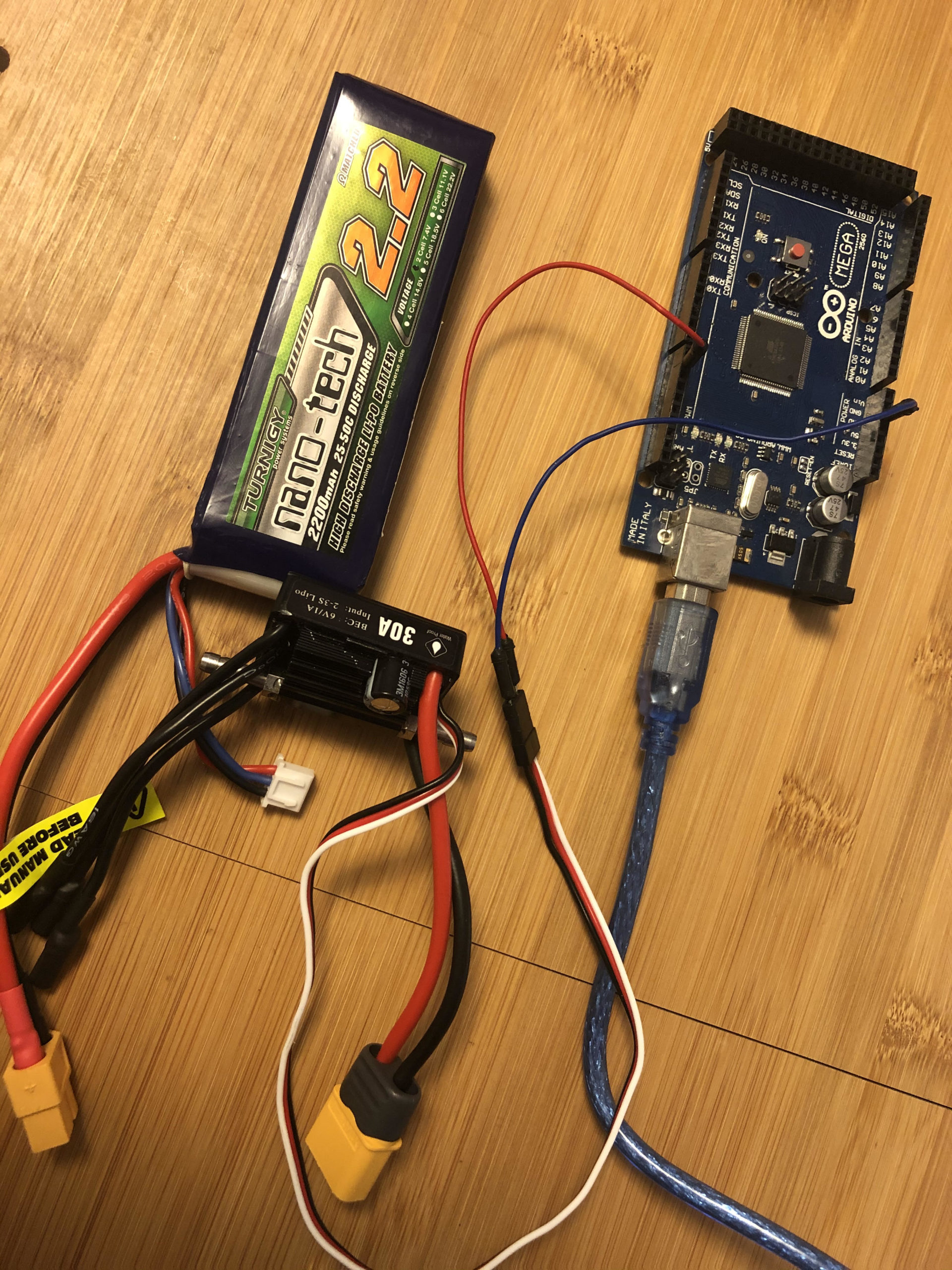
First step was deciding on if I could use an off the shelf ESC or buy one. I purchased a RC “rockcrawler” driver as I assumed the firmware would be most compatible with my application. The car and boat ESCs have forward and reverse speed by splitting the PWM servo input in half. While waiting on shipping I found an ESC for a boat and a few for quads in one robot junk bins. Quads are single directions but the boat one was good enough for testing. It had no torque in the low end but that’s not a surprise based on the application with the motor type. I needed a way to program this ESC without a controller and receiver. Programming is typically performed w/ the receiver/controller by pushing the speed to min-max in a certain order. Well that can be done with the arduino of course. Here is a super simple piece of code for you if you don’t want to reinvent the wheel. This will also allow you to control your ESC once it’s programmed and you can uncomment my basic acceleration code if desired.
Hook up the ESC control signals (servo input). On the ESC the white (signal in, sometimes I think the alternate color is orange?) to digital output 9 on the Arduino Uno or Mega. Tie the black (or brown) wire to one of the grounds. DO NOT HOOK UP RED. We don’t need the power from the ESC.. it’s usually not something we want anyways (like 6V… ).
You’ll need this library. Download it and place the uncompressed directory in your Arduino libraries directory.
/*
 * Charles Ihler, iradan.com/
 * 2020-04-27 build from example of library.
 *
 * Open the serial monitor... enter 0 (and enter) for reverse
 * 1 for foward and 2 for idle/stop..
 * Most ESCs want a motor hooked up or warn of damage.. make sure the motor is safe and can't spin off and hurt something.
 *
 */

#include <Servo.h>
#include "ESC.h"


ESC esc(ESC::MODE_FORWARD_BACKWARD);


int sel = 0;
String ssel;

void setup()
{
  Serial.begin(115200);
  pinMode(LED_BUILTIN, OUTPUT);
  esc.attach(9); //change to some other PWM pin if required

}

void output_high() {
   digitalWrite(LED_BUILTIN, HIGH);
   esc.setDirection(ESC::FORWARD);
   esc.setSpeed(500);   //comment this out and uncomment below for acceleration. When test running motor.
   //for (int i = 0; i <= 150; i++) {
   //   esc.setSpeed(i);
   //delay(25);
   //}
}
void output_low() {
  digitalWrite(LED_BUILTIN, LOW);
  esc.setDirection(ESC::BACKWARD);
  esc.setSpeed(500);   //comment this out and uncomment below for acceleration. When test running motor.
  //  for (int i = 0; i <= 150; i++) {
  //    esc.setSpeed(i);
  //  delay(25);
  //}
}
void output_n() {
  digitalWrite(LED_BUILTIN, LOW);
  esc.setDirection(ESC::BACKWARD);
  esc.setSpeed(0);
}
void loop()
{
    Serial.print("Forward (1), Reverse (0), Stop/N(2)?(1/0/2): ");
    while (Serial.available() == 0) {}
    ssel = Serial.readString();
    Serial.print(" --> ");
    Serial.println(ssel);
    sel = ssel.toInt();
    if (sel == 1) {
      output_high();
      Serial.println("ON!");
    }
    if (sel == 0) {
      output_low();
      Serial.println("OFF.");
    }
    if (sel == 2) {
      output_n();
      Serial.println("Neutral");
    }
  delay(100);

}
I got a rando e-mail offering me “free parts” and I usually don’t even bother opening the e-mail. It’s ALWAYS garbage right? Well, maybe I hadn’t slept well the night before but I opened it. (psss. You can scroll down about a page before I actually get anywhere in this post…)
What was I thinking? I hovered carefully over the link… seemed pretty safe… short-ish domain ended with a .com .. not extra stuff on the end… OK. They got me. The website was http://digitspace.com — It seemed like an electronics website so I e-mailed. Back…. going back and forth they seem to be running some kind of promotion or perhaps they are trying to build some brand recognition getting bloggers to give them some advertising. In the end selected $50 worth of parts that consisted of two ESP32 micro dev boards that had WiFi (of course), LoRa, OLED display and and extra LED. There was some switch button types but they were a bit more and for some reason I didn’t think I needed them. Well a week later these things actually showed up (and I didn’t have to give them my credit card or paypal info!).
OK THE START..
A week later the boards showed up in the mail.. they look and feel reasonable and they came with some sample firmware that proved they worked. Unfortunately the site did not include any documentation… but I did the “hardwork” for you if you want to follow along… but let’s start with the end… So far I am here:
First thing first I had to add ESP32 support to my Arduino IDE.. I dropped this in the “additional board manager URLs”:
I found a simple tx-rx LoRa code off the internet but I won’t share because it took too much re-work to get working on my board. So I took it’s essience …
I had to add these libraries:
Add libraries: Adafruit SSD1306 by Adafruit Adafruit GFX Library by Adafruit LoRa by Sandeep Mistry
(all came right off the normal library manager)
I couldn’t find an OLED library that worked until reading some and found I liked this one that seemed to be the “best for me”: https://github.com/osresearch/esp32-ttgo
My findings were similar … though I haven’t ACCURATELY measured it my USB analyzer says 50mA on and 10mA off.. no peak readings yet but I can live with 10mA in my project.
By request one of my long lost blogs was a MODbus RTU application for a PIC 18F27J53. You could easily plop this onto many of the 18F series micros. It doesn’t do much but it’s a great stepping stone for throwing in your own IO. I’ll probably follow up with an Arduino version in a while.. I’ll put it on my “todo” list.
The code…
/*
 File:   main.c
 Author: Charles M Ihler
 Contact at: http://iradan.com
 *
 Created on November 8, 2014, 2:37 PM
 *
 Target Device:
 18F27J53 Development Board by AtomSoft
 *
 Project: MODbus/RTU slave
 *
 Notes
 We will ignore both query high bytes for now
 TODO:   Pull all hard coded IO out eventually and set it up via USB?
 Maybe a terminal application for enabling points?
 *
 *
 Version:
 0.02     Controlled sends caned reply on request to address on RS-232
 0.03     CRC works on RX
 0.04     No actual IO yet..
 Function 0x02 (Read Input Status) Started
 0.05     Ported to 18F17J53 for expanded IO/USB options.
 12MHz XTAL with CPUDIV set to 16MHz
 *
 / //#ifndef _XTAL_FREQ //#define _XTAL_FREQ 16000000 // //#define __delay_us(x) _delay((unsigned long)((x)(_XTAL_FREQ/4000000.0)))
 //#define __delay_ms(x) _delay((unsigned long)((x)*(_XTAL_FREQ/4000.0)))
 //#endif
 // PIC18F27J53 Configuration Bit Settings
 // 'C' source line config statements
 include
 // #pragma config statements should precede project file includes.
 // Use project enums instead of #define for ON and OFF.
 // CONFIG1L
 pragma config WDTEN = OFF      // Watchdog Timer (Disabled - Controlled by SWDTEN bit)
 pragma config PLLDIV = 3       // PLL Prescaler Selection (Divide by 3 (12 MHz oscillator input))
 pragma config CFGPLLEN = ON    // PLL Enable Configuration Bit (PLL Enabled)
 pragma config STVREN = ON      // Stack Overflow/Underflow Reset (Enabled)
 pragma config XINST = OFF       // Extended Instruction Set (Enabled)
 // CONFIG1H
 pragma config CPUDIV = OSC3_PLL3// CPU System Clock Postscaler (CPU system clock divide by 3 from 48MHz)
 pragma config CP0 = OFF        // Code Protect (Program memory is not code-protected)
 // CONFIG2L
 pragma config OSC = HSPLL      // Oscillator (HS+PLL, USB-HS+PLL)
 pragma config SOSCSEL = HIGH   // T1OSC/SOSC Power Selection Bits (High Power T1OSC/SOSC circuit selected)
 pragma config CLKOEC = OFF      // EC Clock Out Enable Bit  (CLKO output enabled on the RA6 pin)
 pragma config FCMEN = OFF      // Fail-Safe Clock Monitor (Disabled)
 pragma config IESO = OFF       // Internal External Oscillator Switch Over Mode (Disabled)
 define _XTAL_FREQ 16000000 //defined for delay
 char    ctxt[10], buf1, testcrc[4];    //buff serial string volatile unsigned int     ping, isrcall, index, reading, new_rx; int address, crc_high, crc_low, i, querylength; unsigned int result; //these variables are for fuctions to be enabled/disabled and pushed into application code via later int frame, z, bufferbits, query_reg_address, y; char data_out[64]; char reg_address[255];
 /*
  *
 Interrupt Service
 *
 UART RX and Timer 1
 *
 */
 void interrupt ISR() {
 if (PIR1bits.RCIF)          // see if interrupt caused by incoming data
 {
     isrcall = 0x01;
     char temp;
     temp = RCREG;     // read the incoming data
     buf1 = temp;
     if(temp==address && reading==0)      //if my address..
     {
         index = 0;                  //reset index
         reading = 1;                //from now on go to else if
         LATCbits.LATC1 = 1;
         new_rx = 0;
         ping = 1;
     }
     else if(reading == 1)           //in middle of GPS sentence
     {
         //TODO reset timeout timer
         ctxt[index] = temp;         //load it up
         index++;                    //increment index
         ping = 1;                   //this is for debugging
         if(index > 6)              //1+7 = master frame.
             {
             index = 0;              //reset index
             reading = 0;            //no longer storing the string
             new_rx = 1;             //"ding"
             T1CONbits.TMR1ON = 0;
             }
     }
 }
 //RCSTA2bits.FERR = 0;    //Clear errors
 //RCSTA2bits.OERR = 0;
 //time out timer, if tripped new_rx=0;
 if (PIR1bits.TMR1IF)
 {
     new_rx=0;
     ping = 0;
     T1CONbits.TMR1ON = 0;
     PIR1bits.TMR1IF = 0;
     if (reading) {
     reading = 0;
     LATCbits.LATC0 = 1;
     }
 }
 }
 void init_io(void) {
 INTCONbits.GIE = 0;         //no interruptions please ADCON0 = 0b00000000;        //don't need any ADC ADCON1 = 0b00000000;        //speed Vref=AVdd, VssRef=AVss LATA = 0x00; LATB = 0x00; LATC = 0x00; TRISAbits.TRISA0 = 1; // address 1 TRISAbits.TRISA1 = 1; // address 2 TRISAbits.TRISA2 = 1; // address 3 TRISAbits.TRISA3 = 0; // output TRISAbits.TRISA5 = 0; // output TRISBbits.TRISB0 = 0; // TRISBbits.TRISB1 = 1; // TRISBbits.TRISB2 = 0; // TRISBbits.TRISB3 = 0; // TRISBbits.TRISB4 = 0; //  TRISBbits.TRISB5 = 1; //  TRISBbits.TRISB6 = 0; //  TRISBbits.TRISB7 = 0; //  TRISCbits.TRISC0 = 0; // timer LED output TRISCbits.TRISC1 = 0; // output TRISCbits.TRISC2 = 0; // LED test output TRISCbits.TRISC3 = 0; // output //TRISCbits.TRISC4 = 1; // USB //TRISCbits.TRISC5 = 1; // USB TRISCbits.TRISC6 = 0; // output TX1 TRISCbits.TRISC7 = 1; // input  RX1
 }
 void __delay_10ms(unsigned char n)     //__delay functions built-in can't be used for much at this speed… so!
  {
      while (n-- != 0) {
          __delay_ms(10);
      }
  }
 void uart_xmit(unsigned int mydata_byte) {
 while(!TXSTAbits.TRMT);    // make sure buffer full bit is high before transmitting TXREG = mydata_byte;       // transmit data
 }
 void write_uart(const char txt) {                                 //this send a string to the TX buffer                                 //one character at a time        while(txt)
        uart_xmit(*txt++);
 }
 void serial_init(void)
 {
     //9600 8N1
 TXSTA1bits.SYNC = 0; TXSTA1bits.BRGH=1;       // select low speed Baud Rate (see baud rate calcs below) TXSTA1bits.TX9=0;        // select 8 data bits TXSTA1bits.TXEN = 1;     // enable transmit RCSTA1bits.SPEN=1;       // serial port is enabled RCSTA1bits.RX9=0;        // select 8 data bits RCSTA1bits.CREN=1;       // receive enabled SPBRG1=102; SPBRGH1=0; PIR1bits.RCIF=0;        // make sure receive interrupt flag is clear PIE1bits.RCIE=1;        // enable UART Receive interrupt INTCONbits.PEIE = 1;    // Enable peripheral interrupt INTCONbits.GIE = 1;     // enable global interrupt  __delay_10ms(5);        // give time for voltage levels on board to settle
 }
 void run_timer (void) {
     T1CONbits.TMR1ON = 0;
     TMR1=0;
     TMR1L=0x00;
     TMR1H=0xAA;
     T1CONbits.TMR1CS = 0x01;
     T1CONbits.T1CKPS = 0x01;
     PIE1bits.TMR1IE = 1;
     T1CONbits.TMR1ON = 1;
 //        PIR1bits.TMR1IF=0;
 }
 void check_my_address(void) {
     /*
      *  Determine what address the unit is based on DIP switches
      *  PORTAbits.RA0   Switch 1
      *  PORTAbits.RA1   Switch 2
     */
 if (PORTAbits.RA0 & PORTAbits.RA1) address = 0x04; if (!PORTAbits.RA0 & PORTAbits.RA1) address = 0x03; if (PORTAbits.RA0 & !PORTAbits.RA1) address = 0x02; if (!PORTAbits.RA0 & !PORTAbits.RA1) address = 0x01;
 }
 /*
 TODO
 Poll the inputs
 *
 I will probably use a 74138 to address banks with 74HC245 for byte/banks of inputs
 I will likely use the same set up for "Coils"
 For input registers (analog inputs) I will consider perhaps some kind of A/D input with CD4066+74HC138
 *
 */
 void poll_my_inputs(void) {
 //just stuff it with something for now for (z = 0; z < 64; ++z) { reg_address[z] = z; }
 }
 /*
 did the chicken come before the egg?
 this MODbus CRC bit was gently borrowed from the internet..
 I can't determine who wrote it.. it shows up in an Ardiuno Sketch for MODbus
 Modbus over serial line - RTU Slave Arduino Sketch
 with referenced of Juan Pablo Zometa, Samuel Marco, Andras Tucsni, Philip Costigan
 It also shows up on a number of websites and forums uncredited… many PIC or C based ..
 so who knows, but I didn't write it
 The MODbus CRC-16 function is outlined on the Modicon site for reference
 */
 unsigned int modbus_crc(unsigned char buf[], int start, int cnt)
 {
 int     i,j;
 unsigned temp, temp2, flag;
 temp=0xFFFF;
 for (i=start; i<cnt; i++){
    temp=temp ^ buf[i];
 for (j=1; j<=8; j++){       flag=temp & 0x0001;      temp=temp >> 1;
      if (flag) temp=temp ^ 0xA001;
      }
   }
 /*** Reverse byte order. ***/
 temp2=temp >> 8;
 temp= (temp << 8) | temp2;
 return(temp);
 }
 int check_master_crc (void) {
 int diff, diff1, diff2;       //what we send back char data[6]; result = 0x0000; crc_high = 0x00; crc_low = 0x00; data[0] = address;  //this is ugly but all master queries are 6bytes+CRC so it'll do data[1] = ctxt[0];  //function data[2] = ctxt[1];  //start_addressH data[3] = ctxt[2];  //start_addressL data[4] = ctxt[3];  //# of regH data[5] = ctxt[4];  //# of regL result = modbus_crc(data,0,6); crc_high = result >> 8; crc_low = result & 0x00FF; diff1 = ctxt[5] ^ crc_high; diff2 = ctxt[6] ^ crc_low; diff = diff1 + diff2; //this spits back an XORed value between calculated and received CRC return(diff);
 }
 void respond_input_status(void) {
         //ctxt[1] start_addressH
         //ctxt[2] start_addressL
         //ctxt[3] # of regH
         //ctxt[4] # of regL
     querylength = ctxt[4];  //ignoring upper byte for now (TODO)
     query_reg_address = ctxt[2]; //ignoring upper address byte (TODO)
 frame = 0;     //data frame counter do {     data_out[frame] = reg_address[query_reg_address];     //TODO  make this do somethng     querylength--;     frame++; } while (querylength>0); querylength = ctxt[4];  //reload so we can count time transmitting data result = modbus_crc(data_out,0,2); crc_high = result >> 8; crc_low = result & 0x00FF; //uart_xmit response address, function, data_out[frames], CRC uart_xmit(address); uart_xmit(ctxt[0]); frame = 0; do {     uart_xmit(data_out[frame]);     //TODO  make this do somethng     querylength--;     frame++; } while (querylength>0); uart_xmit(crc_high); uart_xmit(crc_low);
 }
 int main(void) {
     OSCCONbits.SCS = 0x00;
 new_rx=0; init_io(); serial_init(); run_timer(); check_my_address(); y += address; write_uart("MODBus "); uart_xmit(y); LATCbits.LATC0 = 1; LATCbits.LATC1 = 1; __delay_10ms(50); LATCbits.LATC0 = 0; LATCbits.LATC1 = 0; if (address == 0x01){     LATCbits.LATC0 = 1; } if (address == 0x02) {     LATCbits.LATC1 = 1; } __delay_10ms(50); LATCbits.LATC0 = 0; LATCbits.LATC1 = 0; INTCONbits.GIE = 1; INTCONbits.PEIE = 1; while (1) {     //If read data, not me and then if no 232 traffic for >800us then any xmit over     //104 us (9600) x 8 quiet periods minus some for wiggle.     if (ping) {         run_timer();     }     if (new_rx) {       //this device was polled         //testing response         i = check_master_crc();     //check master query crc         if (i==0x00) {              //CRC Ok?             if (ctxt[0] == 2) {       //coil status query                 respond_input_status();             }             //TODO other types of functions go here         }         //all done, get ready for new query         new_rx = 0;     }     //testcrc[0] = 0xFF;     //testcrc[1] = 0x02;      //right now this is only thing processed     //result = modbus_crc(testcrc,0,2);     //crc_high = result >> 8;     //crc_low = result & 0x00FF;     __delay_10ms(10);     LATCbits.LATC2 = 1; //LED blinky test     __delay_10ms(10);     LATCbits.LATC0 = 0;     LATCbits.LATC1 = 0;     LATCbits.LATC2 = 0; }
 }
I sat at the bench this morning waiting for the inspiration to continue on with a project I’m working on with Francesco; I gave in to procrastination.
I wrote some assembler code to generate WWVB signal from a PIC a few months ago, remember? That stirred some interest from overseas folks looking for a way for their automatically update their “atomic” watches… apparently there isn’t some NTP device or anything else easily found to be purchased to do this. I was asked to do this NTP, but I’ll leave that for someone with a ‘Pi–I gave mine away to a kid. I did this project using GPS and a PIC micro.
It’s a pretty simple setup, gobble up a GPRMC sentence, pick off the data I need and spit out time. I generate 60KHz with the PWM module within the PIC (okay it’s 62KHz, but that should be close enough).. switch it through a 4066 to generate my time code.
GPRMC: there are other sentences you can use, but my cheapo module only spits out 4 sentences and GPRMC is the only one with time and date, so it’ll do. I re-used my GPGGA parsing code.. there is probably some left-overs in there if you look at the code below. I also dump the working string (first 63 bits of GPGGA) followed by the day number of the year which is calculated on the the UART, pick it up off the TX line @ 9,600 baud.. It’s spits it out about once a minute (in between time transmissions). I ended up using some DOY code online because I found some nice code that included determining if it was a leap year for day-of-year determination; I left the URL in the code.
The code isn’t finished nor is it accurate: it doesn’t recognize the valid data bit yet, and just spits out time whenever it feels like it so the time can be off by up to 59 seconds. I’ll work on this later on since I was just looking for proof of concept so I could get the hardware going and off a breadboard. I built up the circuit in eagle.. I’ll check it a few more times and have a couple PCBs made for round one of testing. The prototype was built on a Tautic 18F26K22 dev board, I considered just having the dev board plug-in but that’s probably a waste of $$.
You’ll note the SMA jack, perhaps this is over kill since I’ll never have a good enough antenna to match 60KHz… I don’t really know what to do with that yet, wire antenna for now I suppose. (version 2?) It’s likely illegal to sell these since it’s purposefully broadcasting, fat chance I’m doing the research beyond the FCC. I’ll look it up tomorrow but I suspect Part 15 doesn’t apply to 60KHz.
Version 1 of the GPS>WWVB board
The code is a total hack job.. poorly documented, perhaps even incorrectly documented. I know I have “place-holder” functions.. but like I said.. it was a start to get my time code and it was close enough for testing; you get what you pay for! 🙂
/*
* File: main.c
* Author: Charles M Douvier
* Contact at: http://iradan.com / 0xEE.net / @chasxmd
* Created on April 4th, 2014
*
* Target Device: 18F26K22
*
* Project: GPS --> WWVB simulator
*
* This version uses the GPRMC block
* This is a limitation because GPRMC doesn't pass seconds
* The time passed will always be up to 60 seconds off
* I have to deterine DDMMYY --> Day of year, year
* No simple leap year info in GPS :(
*
* TODO
* Determine GPS lock and output to LED
* Consider re-writing how I am writing my time code
*
* I'll re-write this sometime with a better (more expensive) GPS module.
*
* Version:
* 0.1 First build I could prove I had GPS lock
* 0.2 Output time/date on 232
*
*/
#ifndef _XTAL_FREQ
#define _XTAL_FREQ 8000000 //4Mhz FRC internal osc
#define __delay_us(x) _delay((unsigned long)((x)*(_XTAL_FREQ/4000000.0)))
#define __delay_ms(x) _delay((unsigned long)((x)*(_XTAL_FREQ/4000.0)))
#endif
#include
#include
#include
#include
//config bits
#pragma config FOSC=INTIO67, WDTEN=OFF, PWRTEN=OFF, CP0=OFF, CP1=OFF, BOREN=ON
#pragma config STVREN=ON, LVP=OFF, HFOFST=OFF, IESO=OFF, FCMEN=OFF
//WRT=OFF, FOSC=INTOSC, MCLRE=ON
#define _XTAL_FREQ 8000000 //defined for delay
char ctxt[120], wstr[120]; //buff NMEA string, working string
char str1[20], str2[20], c, latstr, lonstr, setstr, doych[8];
char hourch[3], minch[3], secch[3], daych[3], monthch[3], yearch[3];
char buffer[32] = "none"; //temp dump
volatile unsigned int ping, isrcall, index, reading, new_rx;
int ready, gpgga, gprmc, mode; //gps associated vars
int leap_year, dayint, monthint, yearint, year4int, secondint, minuteint, hourint;
long doy;
int min_40, min_20, min_10, min_8, min_4, min_2, min_1;
int hour_20, hour_10, hour_8, hour_4, hour_2, hour_1;
int doy_200, doy_100, doy_80, doy_40, doy_20, doy_10;
int doy_8, doy_4, doy_2, doy_1, leapint;
int year_80, year_40, year_20, year_10, year_8, year_4, year_2, year_1;
//char *rxdata;
//volatile unsigned int uart_data; // use 'volatile' qualifer as this is changed in ISR
/*
* Interrupt Service
*/
void interrupt ISR() {
if (PIR1bits.RCIF){ // see if interrupt caused by incoming data
isrcall = 0x01;
char temp;
temp = RCREG1; // read the incoming data
if(temp=='$' && new_rx==0) //if first char of a GPS string..
{
index = 0; //reset index
reading = 1; //from now on go to else if
}
else if(reading == 1) //in middle of GPS sentence
{
ctxt[index] = temp; //load it up
index++; //increment index
ping = 1; //this is for debugging
if(index > 63) //thats more than enough data
{
index = 0; //reset index
reading = 0; //no longer storing the string
new_rx = 1; //"ding"
}
}
}
}
/*
* Set up my ports
*/
void init_io(void) {
// This code before the TRIS setup is for switching the RX2/TX2 to proper pins for the dev board
INTCONbits.GIE = 0; //no interruptions please
LATA = 0x00;
TRISAbits.TRISA0 = 0; //Onboard LED
TRISAbits.TRISA1 = 0; //LED
TRISAbits.TRISA2 = 0; //MCU (ON)
TRISAbits.TRISA3 = 1; // input
TRISAbits.TRISA4 = 1; // input
TRISAbits.TRISA5 = 1; // input
TRISAbits.TRISA6 = 1; // input
TRISAbits.TRISA7 = 1; // input
TRISBbits.TRISB0 = 0; // output
TRISBbits.TRISB1 = 0; // output
TRISBbits.TRISB2 = 0; // PWM1B
TRISBbits.TRISB3 = 0; // output
TRISBbits.TRISB4 = 0; // SCK
TRISBbits.TRISB5 = 0; // PWM1C
TRISBbits.TRISB6 = 0; // SCK
TRISBbits.TRISB7 = 1; // input
LATC = 0x00;
TRISCbits.TRISC0 = 0; // N/W
TRISCbits.TRISC1 = 0; // S/E
TRISCbits.TRISC2 = 0; // PWM1A (output to 4066 control)
TRISCbits.TRISC3 = 1; // MODE SELECT (LAT/LONG)
TRISCbits.TRISC4 = 1; // SET INPUT
TRISCbits.TRISC5 = 1; // input
TRISCbits.TRISC6 = 1; // input
TRISCbits.TRISC7 = 1; // input
ADCON0 = 0b00000000; //don't need any ADC
ADCON1 = 0b00000000; //speed Vref=AVdd, VssRef=AVss
ANSELA = 0x00;
ANSELB = 0x00;
ANSELC = 0x00;
}
void uart_xmit(unsigned int mydata_byte) { //send a character to the UART
while(!TXSTA1bits.TRMT); // make sure buffer full bit is high before transmitting
TXREG1 = mydata_byte; // transmit data
}
void uart_write(const char *txt) //sent a multiple characters
{
while(*txt != 0) uart_xmit(*txt++); //this send a string to the TX buffer
//one character at a time
}
void serial_init(void)
{
//9600 8N1
TXSTA1bits.BRGH=1; // select low speed Baud Rate
TXSTA1bits.TX9=0; // select 8 data bits
TXSTA1bits.TXEN = 1; // enable transmit
RCSTA1bits.SPEN=1; // serial port is enabled
RCSTA1bits.RX9=0; // select 8 data bits
RCSTA1bits.CREN=1; // receive enabled
SPBRG1=51; // here is calculated value of SPBRGH and SPBRGL
SPBRGH1=0;
PIR1bits.RCIF=0; // make sure receive interrupt flag is clear
__delay_ms(50); // give time for voltage levels on board to settle
uart_write("RESET"); // transmit some data for testing
}
void pwm_init(){
//
//Take care if setting up the PWM pins (DISBALE A/D, etc)
//
//Select the 8-bit TimerX resource, (Timer2,Timer4 or Timer6) to be used for PWM generation
//by setting the CxTSEL bits in the CCPTMRSx register.(1)
//
//Load the PRx register for the selected TimerX with the PWM period value.
//
//Configure the CCP module for the PWM mode by loading the CCPxCON register with the
//appropriate values.
//
//Load the CCPRxL register and the DCxB bits of the CCPxCON register, with the PWM
//duty cycle value.
//
// CCPR1L = 0x120;
CCPR1Lbits.CCPR1L = 0x01; //PWM duty cycle
//CCPR2Lbits.CCPR2L = 0xCE; //PWM duty cycle
//CCPR3Lbits.CCPR3L = 0xCE; //PWM duty cycle
PR2 = 0x01; //Timer 2 Prescale
//PR4 = 0xFF; //Timer 4 Prescale
//PR6 = 0xFF; //Timer 6 Prescale
CCPTMRS0bits.C1TSEL = 0x00; //PWM1 TMR2 Selection
//CCPTMRS0bits.C2TSEL = 0x01; //PWM2 TMR4 Selection
//CCPTMRS0bits.C3TSEL = 0x02; //PWM3 TMR6 Selection
CCP1CONbits.P1M = 0x00; //single output mode
CCP1CONbits.DC1B = 0x00;
PWM1CONbits.P1RSEN = 0;
PWM1CONbits.P1DC = 0x00; //dead band delay
ECCP1ASbits.CCP1AS = 0x00;
ECCP1ASbits.CCP1ASE = 0; //Auto-shutdown off
CCP1CONbits.CCP1M = 0x0C; //PWM Mode
//CCP2CONbits.CCP2M = 0x0C; //PWM Mode
//CCP3CONbits.CCP3M = 0x0C; //PWM Mode
PSTR1CONbits.STR1A = 1;
PSTR1CONbits.STR1B = 1;
//T2CONbits.T2OUTPS = 0x0F; //post scaler
T2CONbits.T2CKPS = 2; //16x prescaler
//T4CONbits.T4CKPS = 2;
//T6CONbits.T6CKPS = 2;
T2CONbits.TMR2ON = 1; //Turn the Timers On...
//T4CONbits.TMR4ON = 1;
//T6CONbits.TMR6ON = 1;
}
/*
* Append a string with a character
* append(str, c);
*/
//taken from http://stackoverflow.com/questions/19377396/c-get-day-of-year-from-date
int yisleap(int year)
{
return (year % 4 == 0 && year % 100 != 0);
}
int get_yday(int mon, int day, int year)
//use: int day = get_yday(1, 31, 2013);
{
static const int days[2][13] = {
{0, 0, 31, 59, 90, 120, 151, 181, 212, 243, 273, 304, 334},
{0, 0, 31, 60, 91, 121, 152, 182, 213, 244, 274, 305, 335}
};
int leap = yisleap(year);
leapint = leap;
return days[leap][mon] + day;
}
void append(char* s, char c)
{
int len = strlen(s);
s[len] = c;
s[len+1] = '\0';
}
void marker(void){
//send a marker frame - 800ms off, 200 ms on
LATBbits.LATB0 = 0;
__delay_ms(50);
__delay_ms(50);
__delay_ms(50);
__delay_ms(50);
__delay_ms(50);
__delay_ms(50);
__delay_ms(50);
__delay_ms(50);
__delay_ms(50);
__delay_ms(50);
__delay_ms(50);
__delay_ms(50);
__delay_ms(50);
__delay_ms(50);
__delay_ms(50);
__delay_ms(50);
LATBbits.LATB0 = 1;
__delay_ms(50);
__delay_ms(50);
__delay_ms(50);
__delay_ms(50);
LATBbits.LATB0 = 0;
}
void one(void){
//send a one - 500 ms off, 500 ms on
LATBbits.LATB0 = 0;
__delay_ms(50);
__delay_ms(50);
__delay_ms(50);
__delay_ms(50);
__delay_ms(50);
__delay_ms(50);
__delay_ms(50);
__delay_ms(50);
__delay_ms(50);
__delay_ms(50);
LATBbits.LATB0 = 1;
__delay_ms(50);
__delay_ms(50);
__delay_ms(50);
__delay_ms(50);
__delay_ms(50);
__delay_ms(50);
__delay_ms(50);
__delay_ms(50);
__delay_ms(50);
__delay_ms(50);
}
void zero(void){
//send a zero - 200ms off, 800ms on
LATBbits.LATB0 = 0;
__delay_ms(50);
__delay_ms(50);
__delay_ms(50);
__delay_ms(50);
LATBbits.LATB0 = 1;
__delay_ms(50);
__delay_ms(50);
__delay_ms(50);
__delay_ms(50);
__delay_ms(50);
__delay_ms(50);
__delay_ms(50);
__delay_ms(50);
__delay_ms(50);
__delay_ms(50);
__delay_ms(50);
__delay_ms(50);
__delay_ms(50);
__delay_ms(50);
__delay_ms(50);
__delay_ms(50);
}
void sendtime(void){
/*
*;0
xCALL MARKER ;MARKER FRAME REFERENCE BIT
xCALL ONE ;40min
xCALL ZERO ;20min
xCALL ZERO ;10min
xCALL ZERO ;Reserved
xCALL ZERO ;8mins
xCALL ZERO ;4mins
xCALL ONE ;2mins
xCALL ZERO ;1mins
xCALL MARKER ;MARKER 1
*/
marker(); //marker, frame reference
if (minuteint >= 40){ //40min
minuteint = minuteint - 40;
one();
}else {
zero();
}
if (minuteint >= 20){ //20min
minuteint = minuteint - 20;
one();
}else {
zero();
}
if (minuteint >= 10){ //10min
minuteint = minuteint - 10;
one();
}else {
zero();
}
zero(); //reserved (zero)
if (minuteint >= 8){ //8min
minuteint = minuteint - 8;
one();
}else {
zero();
}
if (minuteint >= 4){ //4min
minuteint = minuteint - 4;
one();
}else {
zero();
}
if (minuteint >= 2){ //2min
minuteint = minuteint - 2;
one();
}else {
zero();
}
if (minuteint >= 1){ //1min
minuteint = minuteint - 1;
one();
}else {
zero();
}
marker(); //marker 1
/*
;10
xCALL ZERO ;RESERVED
xCALL ZERO ;RESERVED
xCALL ZERO ;20hours
CALL ZERO ;10hours
CALL ZERO ;RESERVED
CALL ZERO ;8hours
CALL ONE ;4hours
CALL ONE ;2hours
CALL ZERO ;1hour
CALL MARKER ;MARKER 2
*/
zero(); //reserved
zero(); //reserved
if (hourint >= 20){ //20 hours
hourint = hourint - 20;
one();
}else {
zero();
}
if (hourint >= 10){ //10 hours
hourint = hourint - 10;
one();
}else {
zero();
}
zero(); //reserved
if (hourint >= 8){ //8 hours
hourint = hourint - 8;
one();
}else {
zero();
}
if (hourint >= 4){ //4 hours
hourint = hourint - 4;
one();
}else {
zero();
}
if (hourint >= 2){ //2 hours
hourint = hourint - 2;
one();
}else {
zero();
}
if (hourint >= 1){ //1 hours
hourint = hourint - 1;
one();
}else {
zero();
}
marker(); //marker 2
/*
*
;20
CALL ZERO ;RESERVED
CALL ZERO ;RESERVED
CALL ZERO ;200 day of year
CALL ONE ;100 day of year
CALL ZERO ;RESERVED
CALL ZERO ;80 day of year
CALL ONE ;40 day of year
CALL ZERO ;20 day of year
CALL ONE ;10 day of year
CALL MARKER ;MARKER 3
*/
zero(); //reserved
zero(); //reserved
if (doy >= 200){ //200th day
doy = doy - 200;
one();
}else {
zero();
}
if (doy >= 100){ //100th day
doy = doy - 100;
one();
}else {
zero();
}
zero(); //reserved
if (doy >= 80){ //80th day
doy = doy - 80;
one();
}else {
zero();
}
if (doy >= 40){ //40th day
doy = doy - 40;
one();
}else {
zero();
}
if (doy >= 20){ //20th day
doy = doy - 20;
one();
}else {
zero();
}
if (doy >= 10){ //10th day
doy = doy - 10;
one();
}else {
zero();
}
marker(); //marker 3
/*
;30
CALL ONE ;8 day of year
CALL ZERO ;4 day of year
CALL ZERO ;2 day of year
CALL ZERO ;1 day of year
CALL ZERO ;RESERVED
CALL ZERO ;RESERVED
CALL ZERO ;UTI Sign +
CALL ZERO ;UTI Sign -
CALL ZERO ;UTI Sign +
CALL MARKER ;MARKER 4
*/
if (doy >= 8){ //8th day
doy = doy - 8;
one();
}else {
zero();
}
if (doy >= 4){ //4th day
doy = doy - 4;
one();
}else {
zero();
}
if (doy >= 2){ //2nd day
doy = doy - 2;
one();
}else {
zero();
}
if (doy >= 1){ //1st day
doy = doy - 1;
one();
}else {
zero();
}
zero(); //reserved
zero(); //reserved
zero(); //reserved
zero(); //reserved
zero(); //reserved
marker(); //marker 4
/*
;40
CALL ZERO ;UTI Corr 0.8s
CALL ZERO ;UTI Corr 0.4s
CALL ZERO ;UTI Corr 0.2s
CALL ZERO ;UTI Corr 0.1s
CALL ZERO ;RESERVED
CALL ZERO ;80 year yearint
CALL ZERO ;40 year
CALL ZERO ;20 year
CALL ONE ;10 year
CALL MARKER ;MARKER 5
*/
zero(); //reserved
zero(); //reserved
zero(); //reserved
zero(); //reserved
zero(); //reserved
if (yearint >= 80){ //80th year
yearint = yearint - 80;
one();
}else {
zero();
}
if (yearint >= 40){ //40th year
yearint = yearint - 40;
one();
}else {
zero();
}
if (yearint >= 20){ //20th year
yearint = yearint - 20;
one();
}else {
zero();
}
if (yearint >= 10){ //10th year
yearint = yearint - 10;
one();
}else {
zero();
}
marker(); //marker 5
/*
*
;50
CALL ZERO ;8 year
CALL ONE ;4 year
CALL ONE ;2 year
CALL ZERO ;1 year
CALL ZERO ;RESERVED
CALL ZERO ;LEAP YEAR TRUE
CALL ZERO ;LEAP SEC WARN
CALL ONE ;DST
CALL ONE ;DST
CALL MARKER ;FRAME BIT P0
*
*/
if (yearint >= 8){ //8th year
yearint = yearint - 8;
one();
}else {
zero();
}
if (yearint >= 4){ //4th day
yearint = yearint - 4;
one();
}else {
zero();
}
if (yearint >= 2){ //2nd day
yearint = yearint - 2;
one();
}else {
zero();
}
if (yearint >= 1){ //1st day
yearint = yearint - 1;
one();
}else {
zero();
}
zero(); //reserved
//leap year
if (leapint){
one();
}else {
zero();
}
zero();
zero(); //leap sec warn
zero(); //dst??
zero(); //dst
marker(); //frame bit P0
}
void gettime(void){
hourch[0] = wstr[6]; //HHMMSS
hourch[1] = wstr[7];
minch[0] = wstr[8];
minch[1] = wstr[9];
secch[0] = wstr[10];
secch[1] = wstr[11];
daych[0] = wstr[56]; //DAY1 DDMMYY
daych[1] = wstr[57]; //DAY2
monthch[0] = wstr[58]; //MONTH1
monthch[1] = wstr[59]; //MONTH2
yearch[0] = wstr[60]; //YEAR1
yearch[1] = wstr[61]; //YEAR2
uart_write(wstr);
uart_write(" ");
hourint = atoi(hourch);
minuteint = atoi(minch);
secondint= atoi(secch);
dayint = atoi(daych);
monthint = atoi(monthch);
yearint = atoi(yearch);
year4int = yearint + 2000;
doy = get_yday(monthint, dayint, yearint);
ltoa(doych,doy,10);
uart_write(doych);
uart_write("\r");
}
void lon(void){
}
void determine_mode(void){ //determine lat or long mode
}
int main(void) {
// set up oscillator control register, using internal OSC at 8MHz.
OSCCONbits.IRCF = 0x06; //set OSCCON IRCF bits to select OSC frequency 8MHz
OSCCONbits.SCS = 0x02; //set the SCS bits to select internal oscillator block
__delay_ms(70); //lets think about life a bit before proceeding..
__delay_ms(70);
__delay_ms(70);
ping = 0;
new_rx = 0;
isrcall = 0;
init_io();
serial_init();
//RCONbits.IPEN = 0;
PIE1bits.RC1IE = 1; //Enable RX Interrupt
INTCONbits.PEIE = 1; // Enable peripheral interrupt
INTCONbits.GIE = 1; // enable global interrupt
pwm_init();
ready = 0;
while (1) {
__delay_ms(10);
isrcall = 0;
ping = 0;
if (ready){
LATCbits.LATC2 = 1;
}
if (new_rx == 1) //got our string...
{
if (strstr(ctxt, "GPRMC")) // && ready
{
gprmc = 1;
strncpy((char*)wstr, (char*)ctxt, sizeof(ctxt));
gettime();
}
new_rx=0; //finished with GPS string
}
if (gprmc){
sendtime();
}
gpgga = 0;
gprmc = 0;
}
}
I was asked to create a box that notified by LED if you were too far off a N/S or E/W course. I failed, I doubted the specified GPS accuracy/drift as my Garmin seems to stay pretty steady.. perhaps that’s some integration in the processing?
I started with one of the 18F26K22 TAUTIC development boards I bought from him off Tindie; They’re nice little breadboarding microcontrollers… I’ve recommended them before. I had purchased some GPS modules I got from eBay, so check .. they all have TTL NMEA output, some with 1PPS… and finally some tidbits I picked up out of my parts collection. Wrote some code.. tested it and found my drifting issue. After pondering the number 42 a while, I decided there was no sense in continuing because every idea I had meant something in the specification of the project was out.
I’m not going to go deep into explanation of the code since the project didn’t work but like all failures I learned something. I also expanded my knowledge of XC8 which was nice.. I’ve actively been coding in XC8 for a few months now; in some ways I miss ASM but XC8 does shorten the development time (if you don’t count how long it takes me to figure out atol() should have been used instead of atoi().
This project will be converted into a piece of test equipment of sorts. I’ve been meaning to hook a GPS receiver up to my WWVB transmitter and check it out. Of course WWVB is way more accurate … but if you can’t receive WWVB .. you’re up a creek.
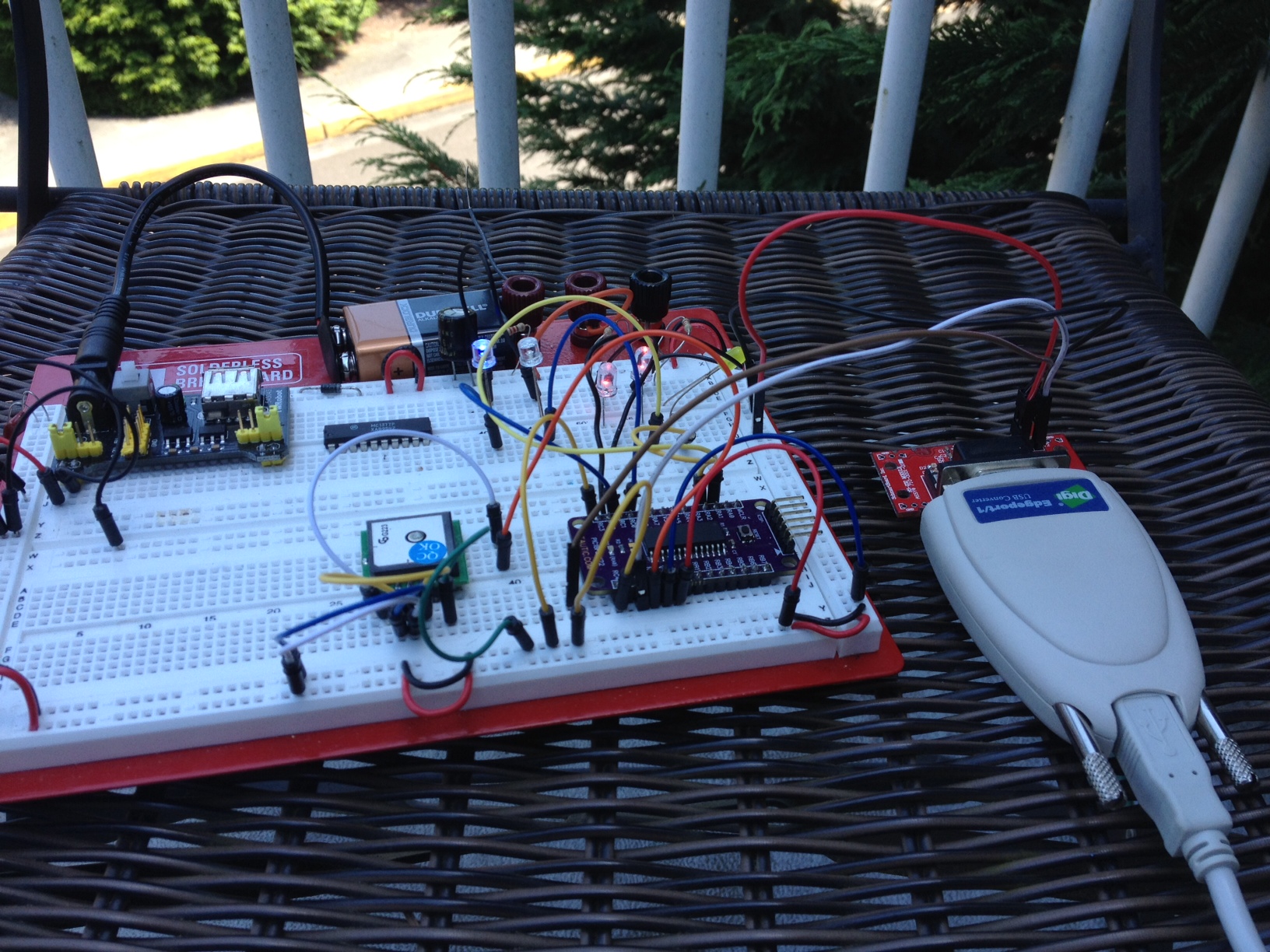
GPS Receiver and Microcontroller outside locked.
Keep in mind this code is un-optimized, and essentially abandoned while I was building the framework. I leave it to you in case you want a jump start on grabbing some data out of a NMEA string.
/*
/*
 * File:   main.c
 * Author: Charles M Douvier
 * Contact at: http://iradan.com / 0xEE.net / @chasxmd
 * Created on April 4th, 2014
 *
 * Target Device: TAUTIC.com dev board / 18F26K22
 *
 * Project: AG GPS Indicator
 * Using a PIC to indicate if you're staying in lat/long "groove" by GPS.
 * *** This is not complete ***
 *
 *
 * Version:
 * 0.1      First build I could prove I had GPS lock
 * 0.2      Output GPS on 232 and position set, no debounce, etc.. abandonded
 */
#ifndef _XTAL_FREQ
#define _XTAL_FREQ 4000000 //4Mhz FRC internal osc
#define __delay_us(x) _delay((unsigned long)((x)*(_XTAL_FREQ/4000000.0)))
#define __delay_ms(x) _delay((unsigned long)((x)*(_XTAL_FREQ/4000.0)))
#endif

#include
#include
#include
#include


//config bits
#pragma config FOSC=INTIO67, WDTEN=OFF, PWRTEN=OFF, CP0=OFF, CP1=OFF, BOREN=ON
#pragma config STVREN=ON, LVP=OFF, HFOFST=OFF, IESO=OFF, FCMEN=OFF

//WRT=OFF, FOSC=INTOSC, MCLRE=ON

#define _XTAL_FREQ 4000000 //defined for delay

    char    ctxt[120], wstr[120];            //buff NMEA string, working string
    char    str[60], c, latstr, lonstr, setstr;
    char buffer[32] = "none";                        //temp dump
    volatile unsigned int     ping, isrcall, index, reading, new_rx;
    int     ready, gpgga, gprmc, mode;        //gps associated vars
    long long    position_set, position_now;
    //char    *rxdata;
    //volatile unsigned int uart_data;    // use 'volatile' qualifer as this is changed in ISR

/*
 *  Interrupt Service
 */
void interrupt ISR() {

   if (PIR1bits.RCIF){          // see if interrupt caused by incoming data

        isrcall = 0x01;
        char temp;
        temp = RCREG1;     // read the incoming data
        if(temp=='$' && new_rx==0)      //if first char of a GPS string..
        {
            index = 0;                  //reset index
            reading = 1;                //from now on go to else if
        }
        else if(reading == 1)           //in middle of GPS sentence
        {
            ctxt[index] = temp;         //load it up
            index++;                    //increment index
            ping = 1;                   //this is for debugging
            if(index > 50)              //thats more than enough data
                {
                index = 0;              //reset index
                reading = 0;            //no longer storing the string
                new_rx = 1;             //"ding"
                }
        }


   }
}


/*
 * Set up my ports
 */
void init_io(void) {

    INTCONbits.GIE = 0;         //no interruptions please

    LATA = 0x00;

    TRISAbits.TRISA0 = 0; //Onboard LED
    TRISAbits.TRISA1 = 0; //LED
    TRISAbits.TRISA2 = 0; //MCU (ON)
    TRISAbits.TRISA3 = 1; // input
    TRISAbits.TRISA4 = 1; // input
    TRISAbits.TRISA5 = 1; // input
    TRISAbits.TRISA6 = 1; // input
    TRISAbits.TRISA7 = 1; // input


    TRISBbits.TRISB0 = 0; // output
    TRISBbits.TRISB1 = 0; // output
    TRISBbits.TRISB2 = 0; // output
    TRISBbits.TRISB3 = 0; // output
    TRISBbits.TRISB4 = 0; // SCK
    TRISBbits.TRISB5 = 1; // input
    TRISBbits.TRISB6 = 0; // SCK
    TRISBbits.TRISB7 = 1; // input

    LATC = 0x00;

    TRISCbits.TRISC0 = 0; // N/W
    TRISCbits.TRISC1 = 0; // S/E
    TRISCbits.TRISC2 = 0; // GPGGA DETECT
    TRISCbits.TRISC3 = 1; // MODE SELECT (LAT/LONG)
    TRISCbits.TRISC4 = 1; // SET INPUT
    TRISCbits.TRISC5 = 1; // input
    TRISCbits.TRISC6 = 1; // input
    TRISCbits.TRISC7 = 1; // input

    ADCON0 = 0b00000000;        //don't need any ADC
    ADCON1 = 0b00000000;        //speed Vref=AVdd, VssRef=AVss

    ANSELA = 0x00;
    ANSELB = 0x00;
    ANSELC = 0x00;
}

void uart_xmit(unsigned int mydata_byte) {  //send a character to the UART
    while(!TXSTA1bits.TRMT);    // make sure buffer full bit is high before transmitting
    TXREG1 = mydata_byte;       // transmit data
}

void uart_write(const char *txt)            //sent a multiple characters
{
    while(*txt != 0) uart_xmit(*txt++);     //this send a string to the TX buffer
                                            //one character at a time
}


void serial_init(void)
{
    //9600 8N1


    TXSTA1bits.BRGH=1;       // select low speed Baud Rate
    TXSTA1bits.TX9=0;        // select 8 data bits
    TXSTA1bits.TXEN = 1;     // enable transmit


    RCSTA1bits.SPEN=1;       // serial port is enabled
    RCSTA1bits.RX9=0;        // select 8 data bits
    RCSTA1bits.CREN=1;       // receive enabled

    SPBRG1=25;  // here is calculated value of SPBRGH and SPBRGL
    SPBRGH1=0;

    PIR1bits.RCIF=0;        // make sure receive interrupt flag is clear

    __delay_ms(50);        // give time for voltage levels on board to settle
    uart_write("RESET");         // transmit some data for testing

}


/*
 *  Append a string with a character
 *  append(str, c);
 */


void append(char* s, char c)
{
        int len = strlen(s);
        s[len] = c;
        s[len+1] = '\0';
}


/*
 *
 * convert the decminal bits of lat or long to integer
 * send over RS-232 for review
 *
 *
 */


void lat(void){
    str[0] = wstr[17];
    str[1] = wstr[18];
    str[2] = wstr[19];
    str[3] = wstr[20];   // .21 is a decimal place
    str[4] = wstr[22];
    str[5] = wstr[23];
    str[6] = wstr[24];
    str[7] = wstr[25];

    position_now = atol(str);

    uart_write(str);
    uart_write(" ");

        //check to set position
    if (PORTCbits.RC4 && ready) {
        position_set = position_now;
    }

    if (position_set){
        if (position_now > (position_set + 3)) {
            LATCbits.LATC1 = 1;
        }   else {
            LATCbits.LATC1 = 0;
        }

        if (position_now < (position_set - 3)) {
            LATCbits.LATC0 = 1;
        }   else {
            LATCbits.LATC0 = 0;
        }
    }
        sprintf(buffer, "%lld", position_now);
        uart_write(buffer);
        uart_write(" ");
        sprintf(buffer, "%lld", position_set);
        uart_write(buffer);
    uart_write("\r");
}

void lon(void){
 //not started
}

void determine_mode(void){  //determine lat or long mode
 //not started
}


int main(void) {

    // set up oscillator control register, using internal OSC at 4MHz.
    OSCCONbits.IRCF = 0x05; //set OSCCON IRCF bits to select OSC frequency 4MHz
    OSCCONbits.SCS = 0x02; //set the SCS bits to select internal oscillator block
    __delay_ms(50);         //lets think about life a bit before proceeding..


    ping = 0;
    new_rx = 0;
    isrcall = 0;

    init_io();
    serial_init();

    //RCONbits.IPEN = 0;
    PIE1bits.RC1IE = 1;         //Enable RX Interrupt
    INTCONbits.PEIE = 1;        // Enable peripheral interrupt
    INTCONbits.GIE = 1;         // enable global interrupt


    ready = 0;

    while (1) {
    isrcall = 0;
    ping = 0;
    if (ready){
        LATCbits.LATC2 = 1;
    }

    LATAbits.LATA2 = 1;         //startup heartbeat LED
    __delay_ms(1);
    LATAbits.LATA2 = 0;

        if (new_rx == 1)            //got our string...
        {
            if (strstr(ctxt, "GPGGA"))
            {
                gpgga = 1;
                strncpy((char*)wstr, (char*)ctxt, sizeof(ctxt));
            }
            new_rx=0;              //finished with GPS string
        }

        if (gpgga) {
            LATAbits.LA1 = 0;
            if(ctxt[42] == '1')     //this is the 43rd bit but we didn't drop the $ into the buffer
            {                       //If "$GPGGA" NMEA message has '1' sign in the 43rd
                                    //position it means that tha GPS receiver has a position fix
                                    //
            ready = 1;              //This is my "locked" variable for future code
            LATAbits.LATA1 = 1;     //LOCK LED
            }
        }

    if (ready) {

        if (mode){

        }
        if (!mode) {
            lat();
        }

    }
    __delay_ms(149); //delay don't really even need to update this often
    }
}
If you noticed my posts/week is way down.. well it’s summer. This will happen every summer. My daughter is home and so my time gets happily gobbled up by her 🙂 I’ve got a huge backlog of projects.. thankfully the day job has eased off a bunch. I’m working on a 0xEE project which I probably should have been doing today.. but I needed a break. Also I recently found out our annual backpacking trip is going to be a bit more intense; I’ll have to train appropriately .. so less time on the bench. It’ll be this way until September I imagine.